Termux
Screenshots
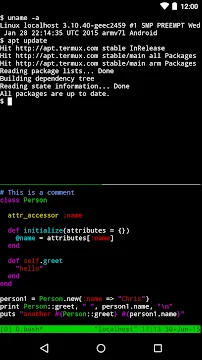
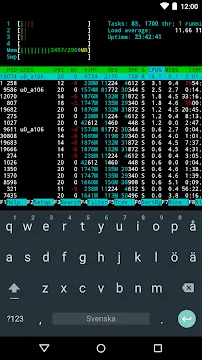
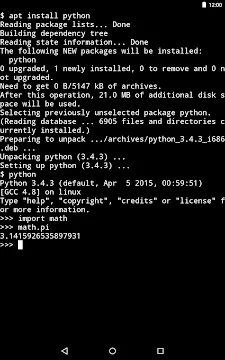
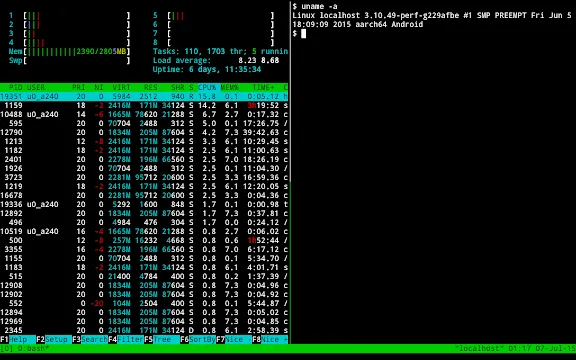
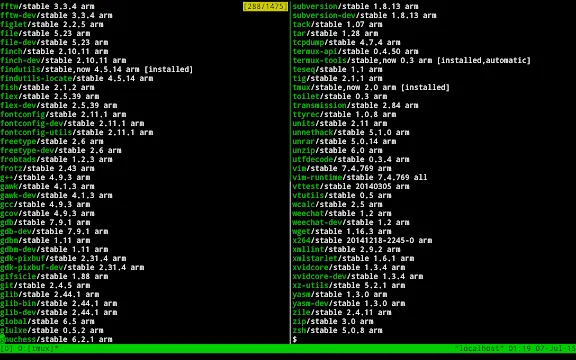
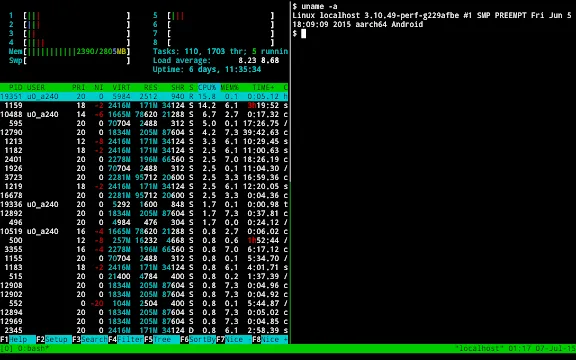
Termux provides a complete Linux terminal environment directly on mobile devices. You can run command-line scripts, manage remote servers, and compile code without complex configurations. The application creates a self-contained ecosystem that operates independently on your device. Consequently, tech enthusiasts can access a powerful command terminal anywhere at any time.
Furthermore, developers can carry a functional programming workstation wherever they travel. You can install hundreds of Linux utilities using a built-in package manager. Therefore, learning this system helps you maintain project repositories and system tasks effortlessly. In addition, the lightweight structure ensures fast execution without slowing down your system.
Unlocking Terminal Power on Mobile Devices
Many programmers require access to command-line tools while away from their primary computers. Termux fulfills this requirement by offering full Bash and Zsh shell environments. You can execute custom scripts, administer remote systems, and compile source code seamlessly. Likewise, the terminal interface handles complex file operations with high accuracy.
In addition, users can personalize their working environment with custom terminal themes and shortcuts. You can install extra utilities using simple command syntax. Therefore, network administrators can inspect server status directly from their mobile handhelds. Meanwhile, regular users can learn command-line basics through interactive terminal sessions.
Key Features of Termux App For Android
Termux offers a vast array of practical tools designed for advanced development and system management. The application supports full shell scripting capabilities, background processes, and network management tools.
Furthermore, developers can run Python, Node.js, and Ruby development environments directly on their devices. You can structure your programming workflows efficiently without needing heavy desktop hardware. Consequently, mobile programming becomes practical for everyday projects.
Comprehensive Package Management
Termux includes a reliable package management system based on standard APT commands. You can search for new utility packages, install updates, and remove unwanted tools quickly. Consequently, managing your command-line environment remains simple and straightforward for all users. In addition, package maintainers regularly update these tools to ensure system stability. Therefore, you always have access to current security updates.
Remote Server Management with SSH
System administrators can manage remote servers securely using OpenSSH tools inside the terminal. You can generate encryption keys, connect to remote servers, and edit configuration files. Therefore, managing web servers or cloud instances becomes possible from any location. Moreover, key authentication keeps your remote connections private and secure. As a result, server maintenance requires no desktop computer.
Multi-Language Programming Support
You can write and execute code written in Python, C, C++, Rust, and Go. The system lets you compile binaries and run local scripts with minimal setup effort. As a result, software engineers can test algorithm ideas without sitting at a physical desk. For example, you can write Python scripts to automate daily data tasks quickly. Moreover, learning new syntax becomes easy on mobile hardware.
Advanced Shell Customization
Users can modify the appearance and behavior of their command interface to match preferences. You can switch between Bash, Zsh, and Fish shells without difficulty. Likewise, adding custom visual themes, colorful prompts, and status bars improves overall readability. Above all, custom configurations create a pleasant terminal working environment. Consequently, your daily coding experience remains enjoyable.
Integrated File Management Tools
Managing local directories and files requires simple commands like cp, mv, and rsync. You can organize project folders, compress archives, and synchronize data between locations. Consequently, file management remains fast and responsive without needing external graphical applications. In addition, user files remain secure within the app environment. Therefore, directory navigation stays smooth and efficient.
Command-Line Text Editor Capability
Termux supports popular command-line text editors such as Nano, Vim, and Emacs. You can edit configuration files, write code, and compose notes directly in the interface. Therefore, developers do not need extra text editing apps to complete coding projects. Meanwhile, keyboard shortcuts help you navigate long code files efficiently. As a result, editing source code feels quick and responsive.
Flexible Screen Layouts with Multiplexers
You can split your terminal screen into multiple active panes using terminal multiplexers. This setup lets you run scripts in one window while editing code in another. In addition, background sessions continue running even when you minimize the main screen. Consequently, multitasking becomes seamless during complex development projects. Therefore, project management stays organized at all times.
Built-in Network Diagnostic Tools
Engineers can test network connectivity using command-line diagnostic utilities directly within the environment. For example, tools like curl, wget, netcat, and nmap assist in network analysis. Consequently, diagnosing server response times and API endpoints takes only a few seconds. Furthermore, these tools help you troubleshoot remote connection issues effortlessly.
How to Use Termux for Daily Workflows
First, open the application to launch your initial terminal command prompt window. You can type standard terminal commands like ls, cd, and pwd to navigate your folders. After that, refresh your package list by typing pkg update and pressing the enter key. Consequently, your system loads the newest available tools into your local registry.
Next, install your preferred programming language or utility tool using the package manager. For instance, type pkg install python to set up Python within seconds. Meanwhile, you can edit code files using Nano or Vim directly inside the main display. Therefore, building functional software projects requires only a few basic commands.
How to Download and Install Termux APK
Obtaining the installation package requires a few straightforward steps on your handheld device. You must enable installation from unknown sources inside your security settings before starting. Click the download button below to transfer the latest Termux APK file directly to your storage. Consequently, you will have access to the full command terminal experience immediately.
- Click the download button to grab the package installer file.
- Open your file management app and locate the downloaded file.
- Tap on the package file to launch the system installer window.
- Confirm the installation request and grant necessary basic permissions.
- Open Termux from your application drawer and begin your command session.
Termux Tips and Tricks
- Enable extra keys: You can show extra keyboard controls like Control, Alt, and arrow keys on your touch screen.
- Link internal storage: Run the termux-setup-storage command to access your internal storage directories directly inside Termux.
- Use command aliases: Add custom command shortcuts inside your configuration file to speed up repetitive terminal tasks.
- Change package mirrors: Switch to a fast local package mirror inside Termux to boost download speeds during package installations.
- Run background processes: Use terminal multiplexers like Tmux to keep long-running scripts active when closing the window.
- Install custom shells: Upgrade your default shell environment to Zsh for enhanced command autocompletion and visual prompts.
Conclusion
In conclusion, Termux provides an exceptionally valuable command-line environment for developers and tech enthusiasts. You can build automation scripts, manage remote servers, and test code from any location. The platform combines convenience with pure command terminal performance. Consequently, you get desktop terminal power inside a portable form factor.
Moreover, its minimal resource consumption guarantees smooth execution across various mobile hardware specifications. Therefore, installing Termux raises your overall productivity and gives you control over your handheld workspace. In short, this tool transforms how you perform technical work on mobile devices.
- Google TV Home
- XOS Launcher
- NetCut
- POCO Launcher
-
Samsung Wallpaper services
 Download
Samsung Wallpaper services
Samsung Wallpaper services provides automated background updates...
- Digital Wellbeing
- Android AICore
- Xiaomi Scanner